You know the topic, but the answer will not come
A familiar question suddenly catches you off guard. The right words come to you after the interview.

You can know your field inside out and still freeze under pressure, miss an important detail or struggle to put a strong answer into words.
A familiar question suddenly catches you off guard. The right words come to you after the interview.
You have the knowledge and experience, but turning them into a clear, convincing answer takes time.
You cannot read a long, generic answer while keeping a natural conversation going with your interviewer.
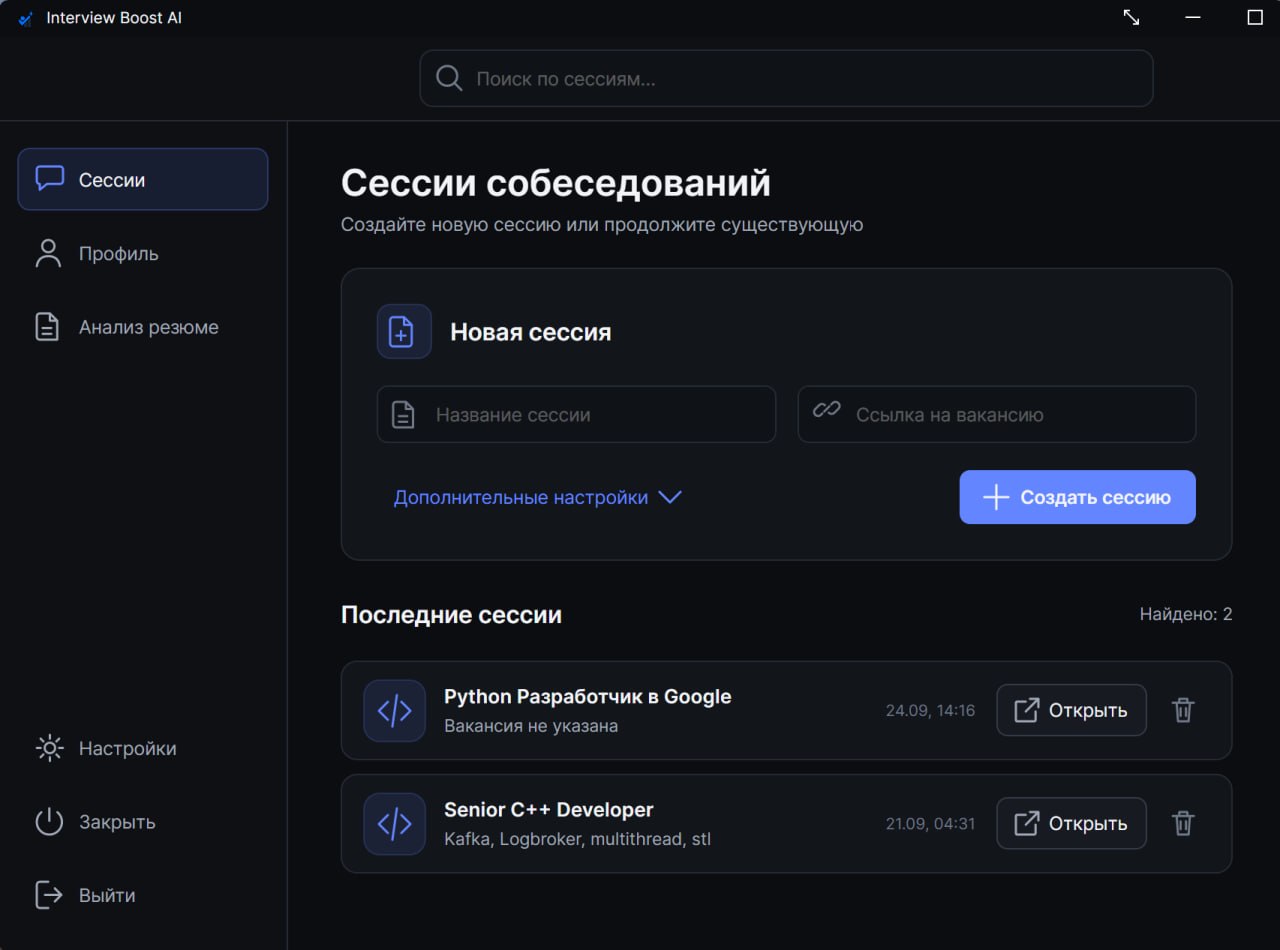
Upload your resume, review the job description, explain the context and prepare prompts for different question types — all over again.
You do not need another AI chat. You need an assistant that already understands your interview.
Prepare for your technical interview and stay focused when it is time to answer.
Screen capture protection. The app stays out of supported screen-sharing captures, keeps your workspace clear and responds to keyboard shortcuts.
Your choice of AI models. GPT, Claude, DeepSeek and Grok — choose a model yourself or let Auto mode pick one.

No VPN needed. Access the available models directly, without additional network setup.
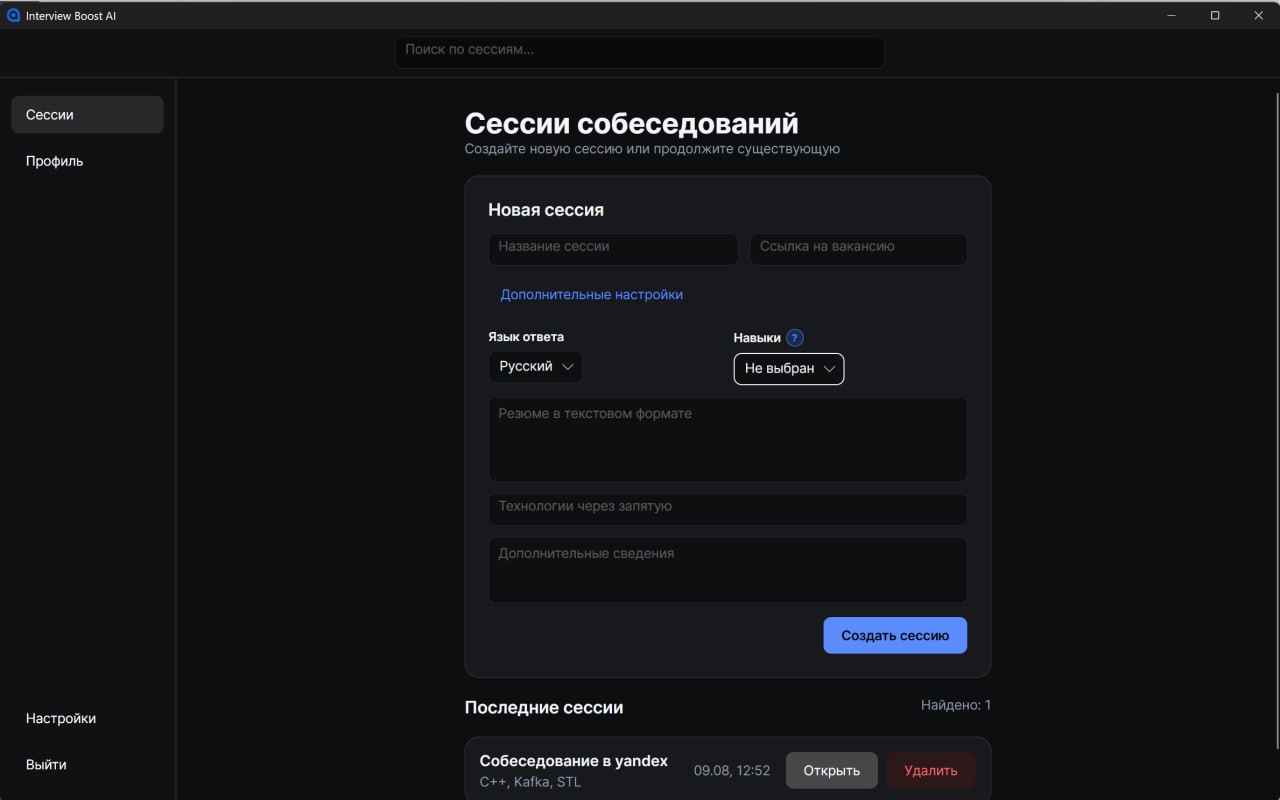
Understands your context. Voice, screenshots, text and session settings work together, so answers take your resume, job description and technologies into account.

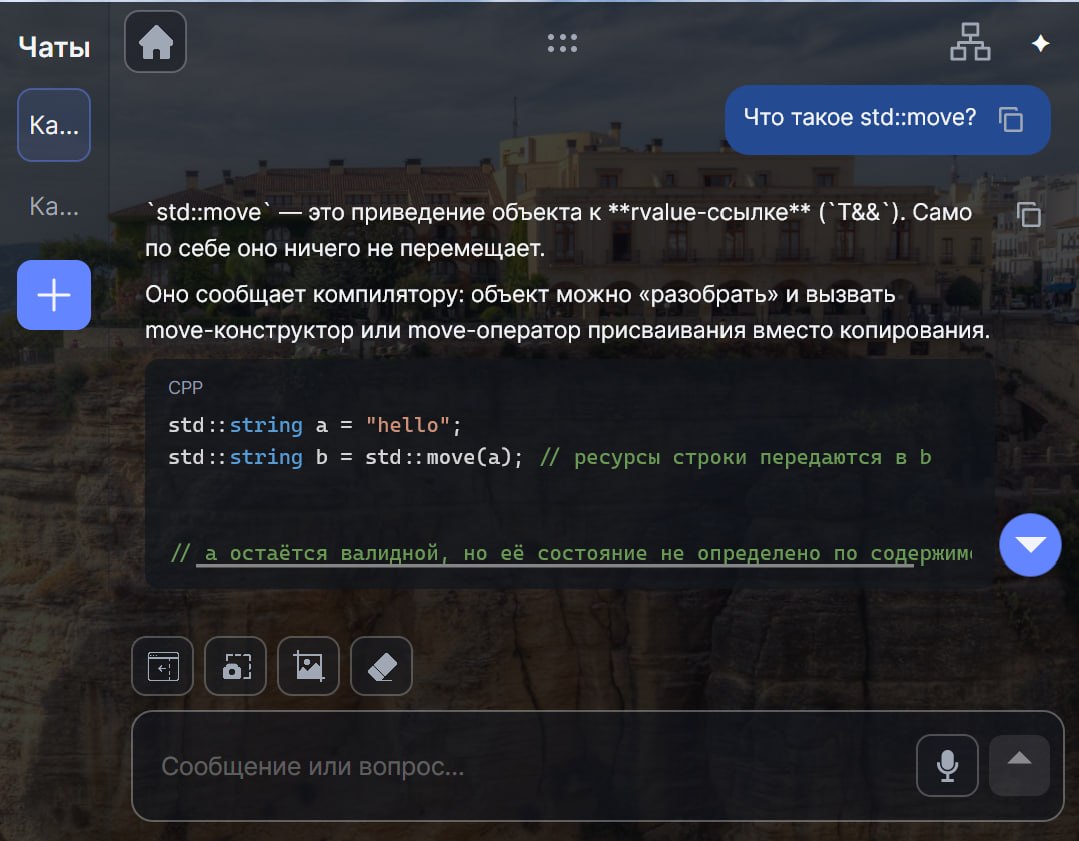
Make it fit your workspace. Style the app to look like a messenger, notes app or IDE.
Virtual cursor. Your shared cursor stays in its original position while you use the assistant.
System Design mode. Design services, database tables and APIs right in the chat. Estimate load and discuss trade-offs with the task requirements in mind.
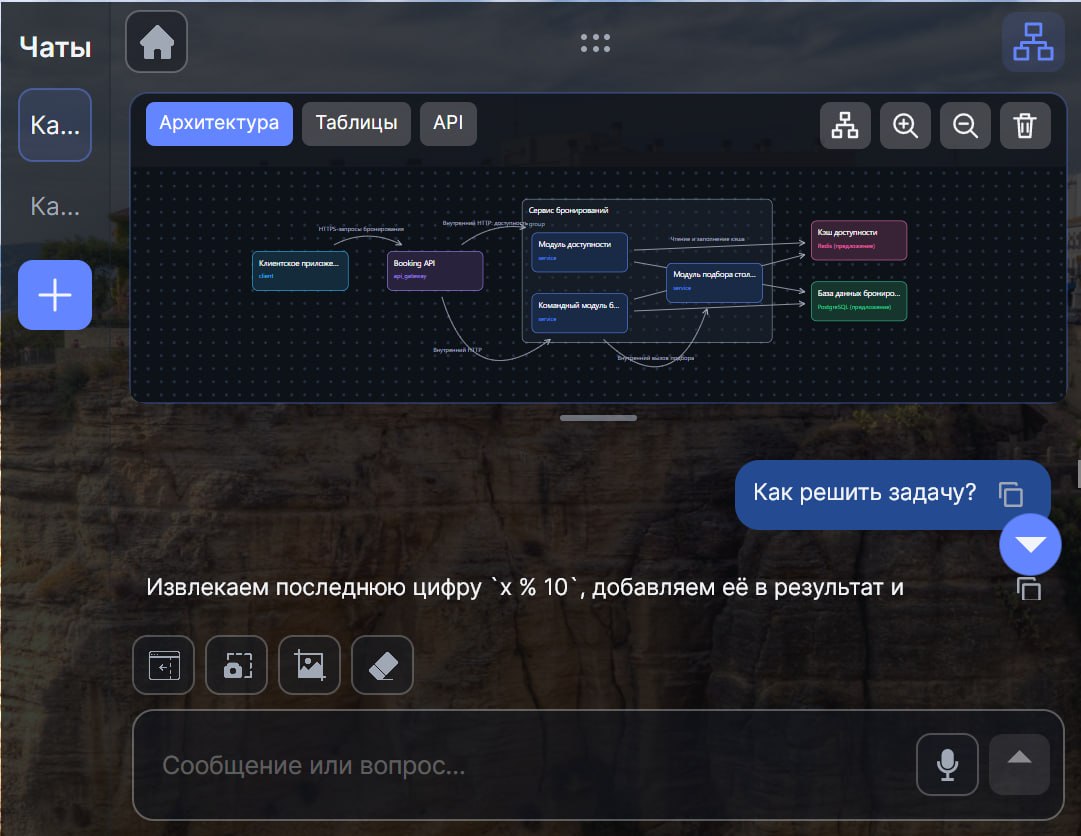
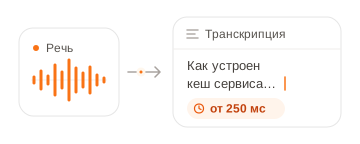
Fast answers. Speech transcription from 250 ms. Your question appears as you speak, so the assistant can start preparing an answer without an extra pause.
Built-in interview recording. Record your screen, system audio and microphone from the app — no OBS needed.
Interview tracker. Track each opportunity from screening to offer on a clear Kanban board.
Post-interview review. Review weak spots, mistakes and concrete ways to improve after your interview.
Interview Boost stays in your workspace and is excluded from standard screen sharing on supported platforms.
The assistant appears over your work window, so you can stay focused without switching between apps.
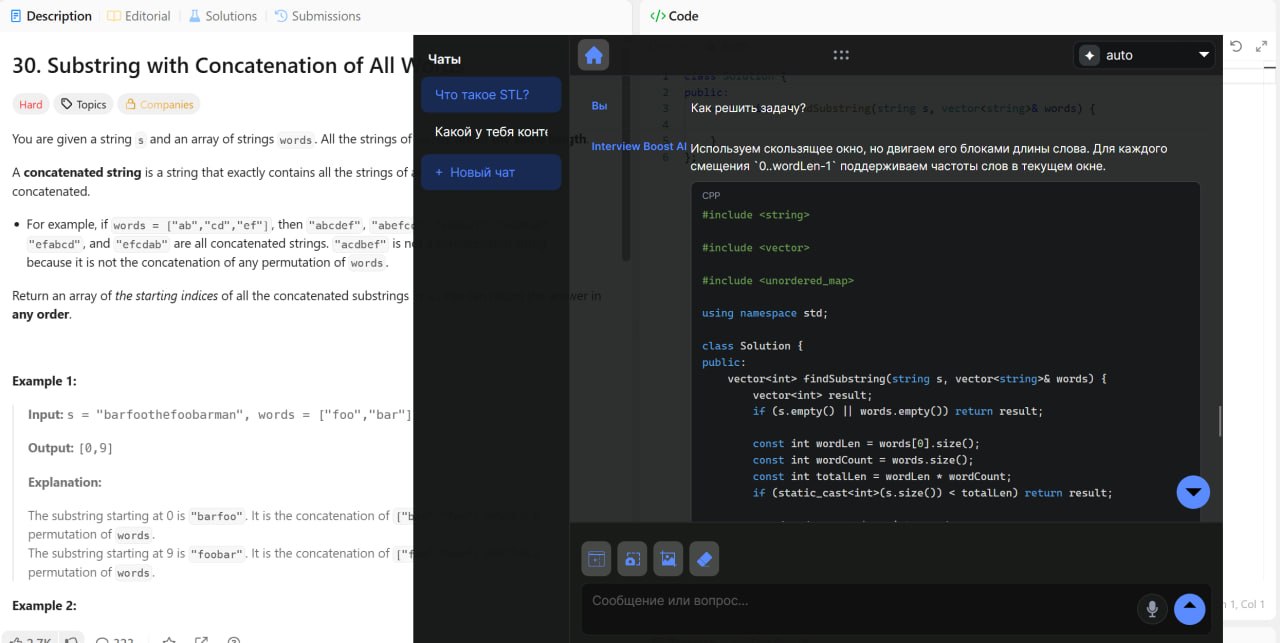
Your shared view shows the original workspace, without the Interview Boost interface.
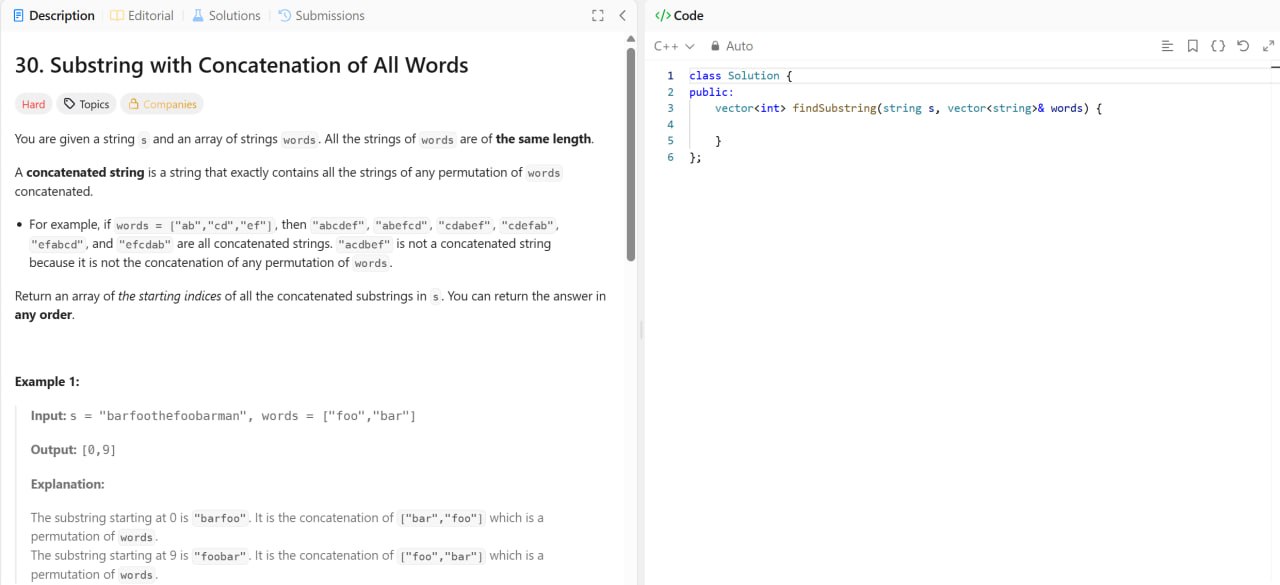
Works with supported video calling and screen-sharing tools. Check compatibility
From setting up your context to reviewing your interview afterwards.
Interview Boost AI works with popular online meeting services. In most browser-based scenarios, you can use the assistant alongside your meeting.
Candidate stories about interview rounds, roles, offers and the moments when a hint helped them stay focused.

My GameDev interview had three rounds. In the technical round, nerves made me forget things I use every day. I checked a hint, collected my thoughts and carried on. I ended up getting an SRE offer.

I was heading into a big tech algorithms interview and was terrified of getting stuck on the first problem. The assistant helped me see an approach, and I wrote the rest of the code myself. I got the internship and am now working with the team.

I spent almost a month interviewing and used Interview Boost during the toughest rounds. It was especially helpful for keeping my answers structured when I got nervous. In the end, I got an offer from the company I wanted.

The live coding task built on my take-home assignment, and at first I had no idea where to start. A hint helped me break it into steps. After that, I could explain the solution calmly and get the code working.

Over two weeks I completed several technical interviews and received more than five offers. On tough questions, the assistant helped me check details quickly and avoid rambling. Almost all the offers were above RUB 400,000 take-home.

After screening came a packed technical round: architecture, databases and some algorithms. I lost my train of thought a couple of times, but the hints helped me get back on track. I accepted a big tech offer of RUB 255,000 take-home.

I had been studying on my own for six months, but in interviews I kept doubting even my correct answers. Interview Boost helped me stay calm and get to the point. I passed several technical rounds and received two offers — RUB 250,000 and RUB 230,000.
Choose the access period that fits your interview schedule. Prices are in USD. The international version is launching soon.